
Chat photo editor: text your photo, get it back in seconds
Send a photo, type what to change, and the edit comes back as a reply. Keep typing to build on it.
Sample thread
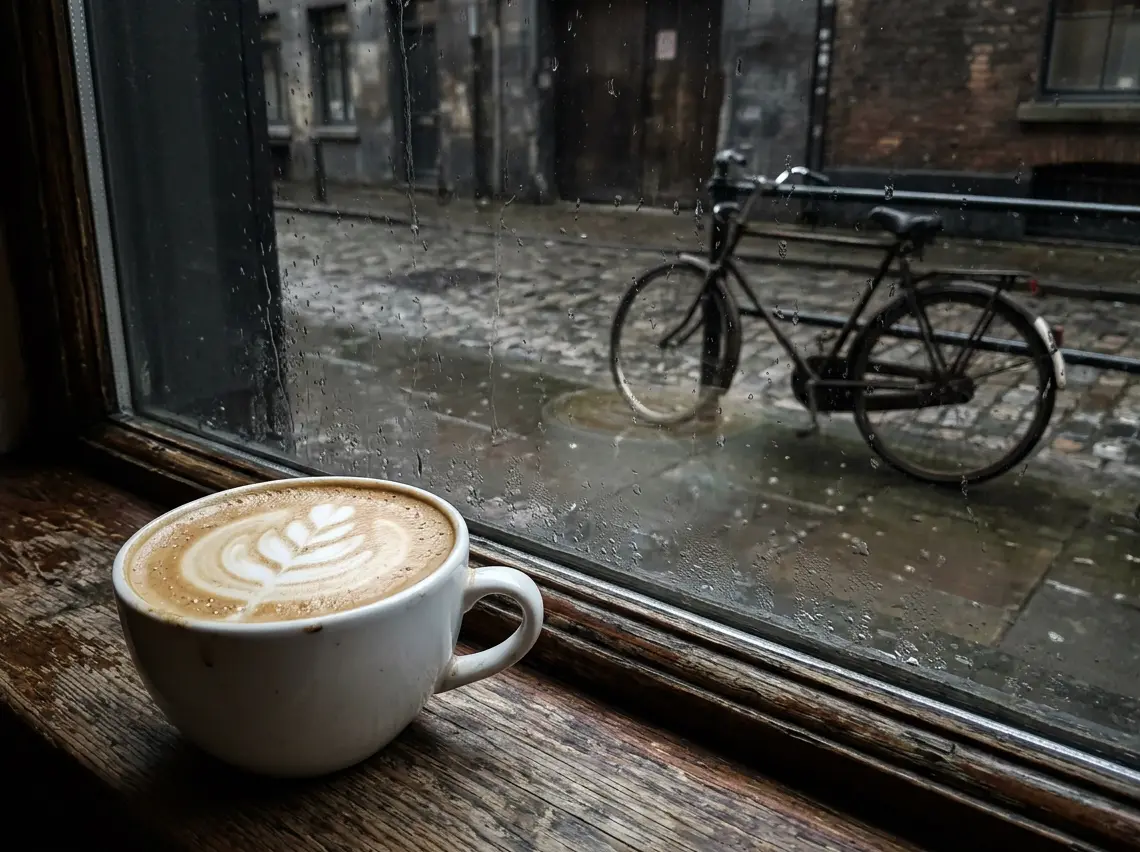
Brighter
Your 24 free credits cover one chat edit (24 credits). No card needed.
Why a thread
Edits that build on each other, not one-shot forms
Every message edits the photo in the bubble it answers, so you can go step by step and change your mind without starting over.
Each turn builds on the last
"Warmer", then "remove the bin", then "add a soft vignette": each reply edits the photo above it.
Branch from any bubble
Reply to an older bubble to try another idea from that point. Flip between branches with the arrows.
Free undo
Step back a bubble or go back to the original at no cost: nothing is made again.
Made for your phone
Take or pick a photo (HEIC works in Safari), then share the result straight to your apps or copy it.
Quick replies
Tap a chip or type your own message
Chips under each reply send a tuned instruction. Add a few words to a chip to steer it, or just type.
Brighter
Lifts the shadows and balances the exposure, like a shot in better light.
Remove background clutter
Takes out bins, cables, signs and stray passers-by in the distance.
Golden hour
Warm, low side light with soft long shadows; nothing else changes.
Make it a sticker
The main subject as a die-cut sticker with a white border.
New sky
A clear blue sky (or the one you describe), with the light matched.
New background
Keeps the subject and swaps what is behind it.
Remove an object
Name the thing to remove and the gap is filled in.
Sample threads
Real threads, turn by turn
Each reply below is a real run on a stock or AI-made photo. Open a turn to read the exact instruction it sent.
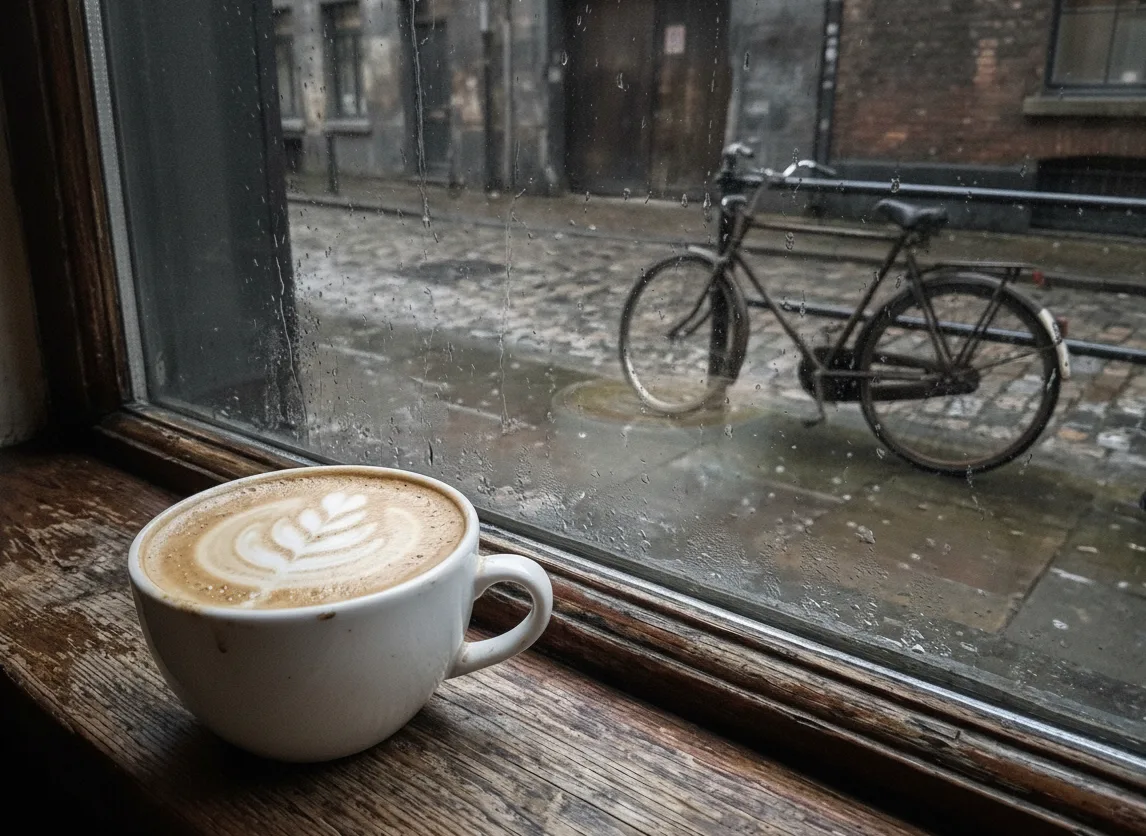
Brighter
Exact instruction sent
Make this photo brighter and clearer: lift the shadows, balance the exposure and add a little natural contrast, as if it were shot in better light. Change only the light and colour. Keep every person exactly who they are: same face, identity, age, body and expression, and do not place anyone in a new situation. Keep everything else in the photo as it is unless this instruction changes it. Add no text, borders or watermarks.
Golden hour
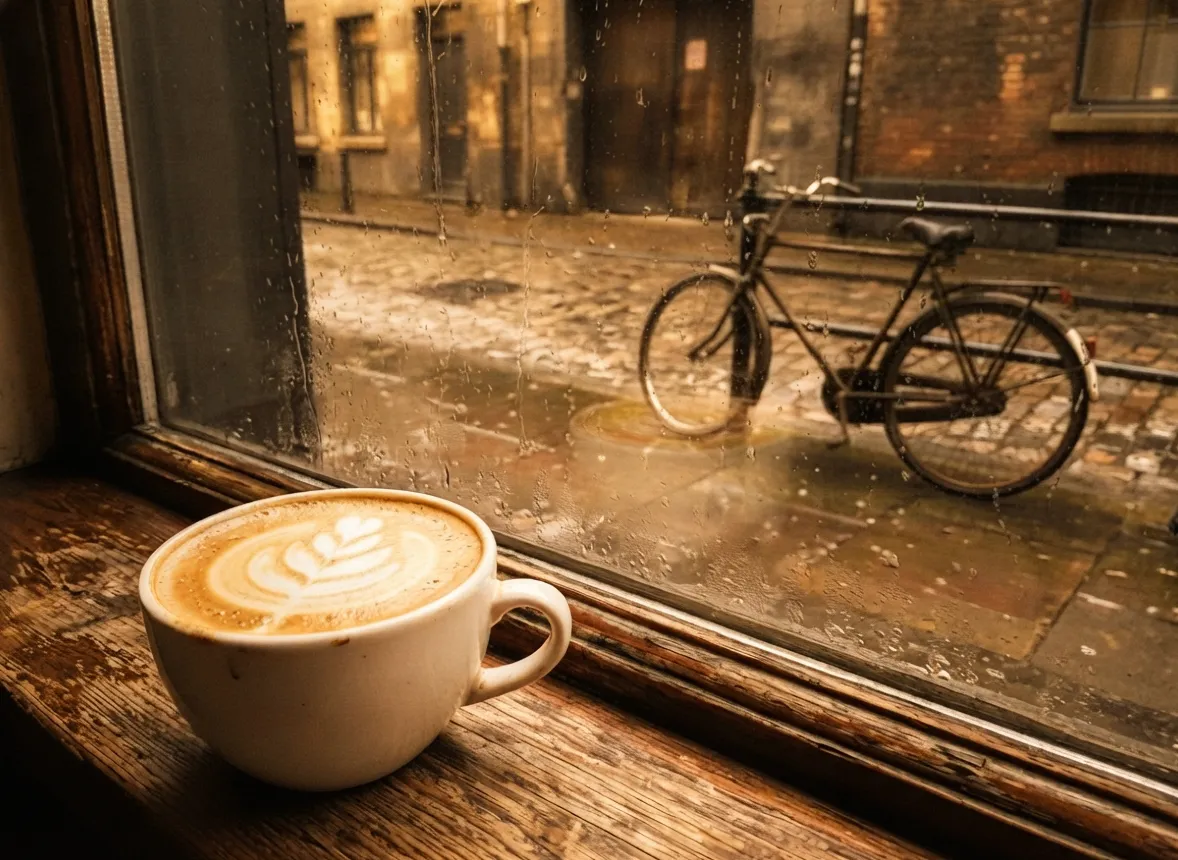
Exact instruction sent
Relight this photo as if it were taken at golden hour: warm, low sunlight from the side with long soft shadows and a gentle glow. Change only the light, shadows and colour temperature. Keep every person exactly who they are: same face, identity, age, body and expression, and do not place anyone in a new situation. Keep everything else in the photo as it is unless this instruction changes it. Add no text, borders or watermarks.
add a small potted basil plant next to the cup
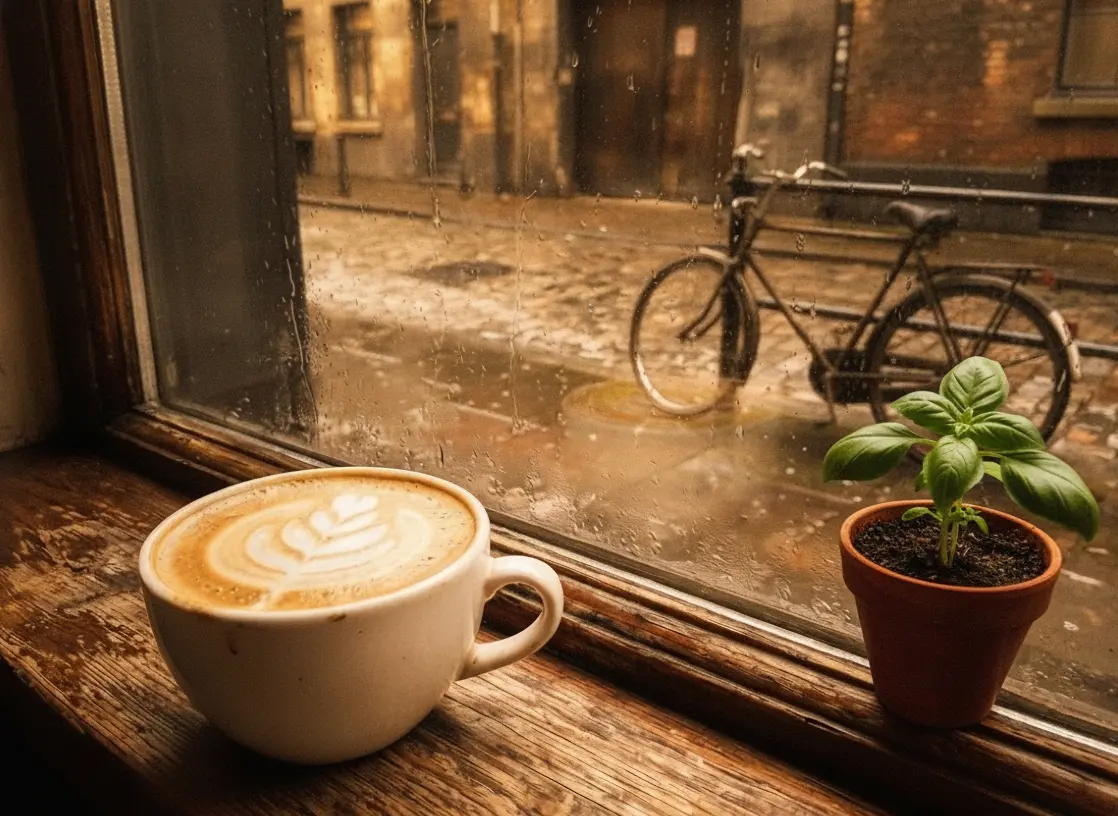
Exact instruction sent
Edit this photo: add a small potted basil plant next to the cup. Keep every person exactly who they are: same face, identity, age, body and expression, and do not place anyone in a new situation. Keep everything else in the photo as it is unless this instruction changes it. Add no text, borders or watermarks.
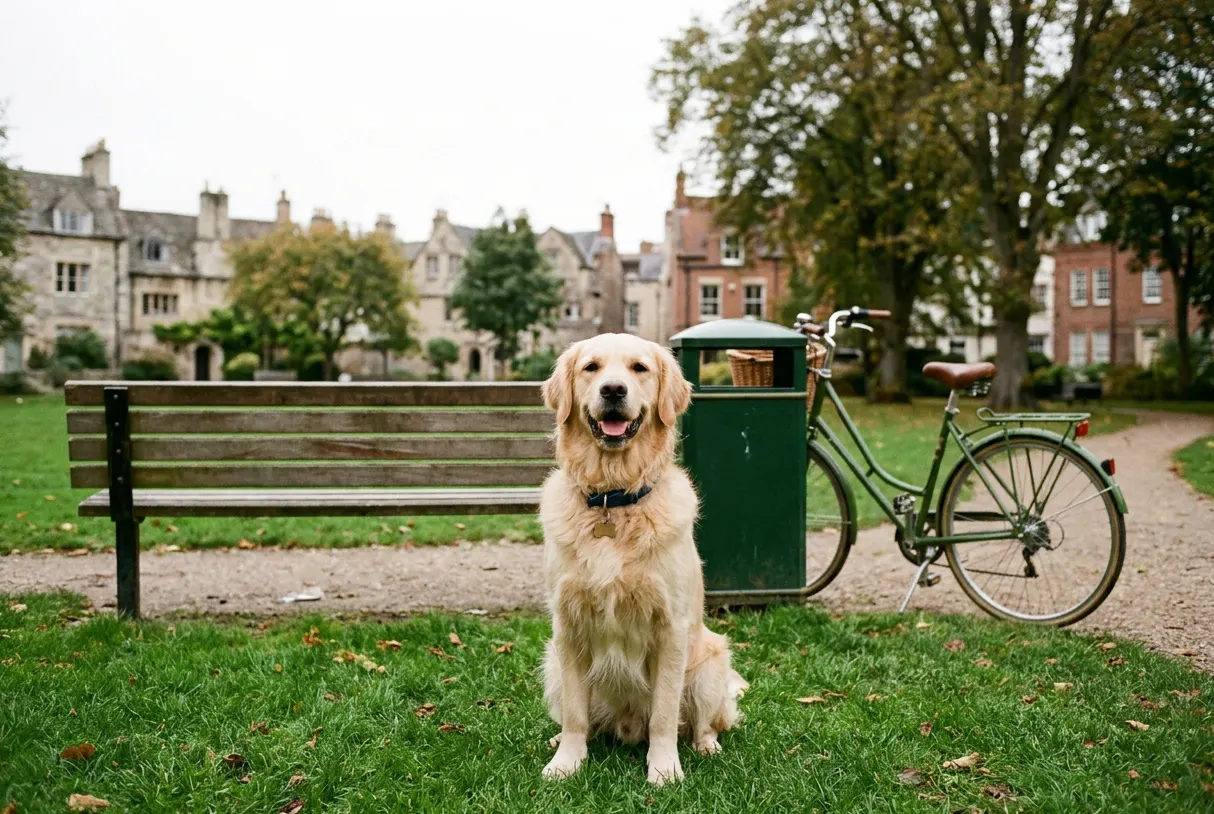
Remove clutter: the green rubbish bin and the bicycle next to the bench
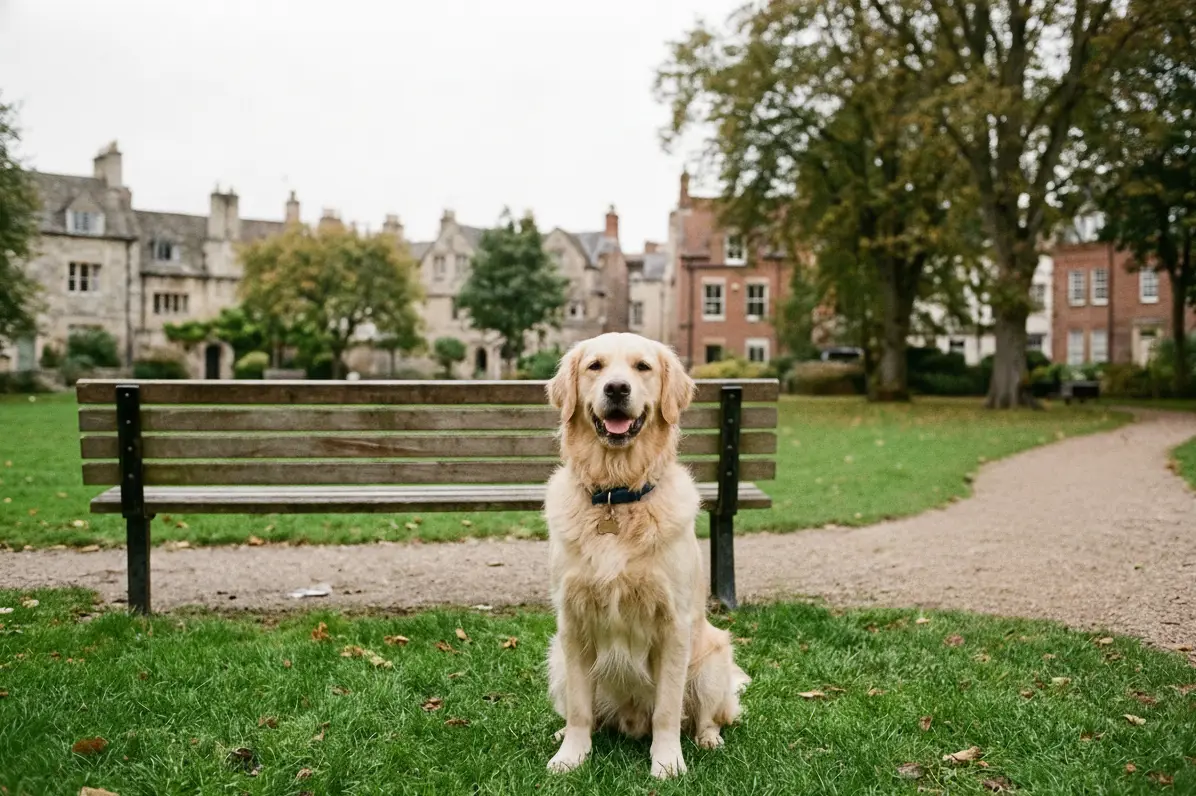
Exact instruction sent
Remove the green rubbish bin and the bicycle next to the bench from this photo and fill each area with what would naturally be behind it, matching the surrounding texture, light and perspective. Leave no trace, ghosting or blur. Keep every person exactly who they are: same face, identity, age, body and expression, and do not place anyone in a new situation. Keep everything else in the photo as it is unless this instruction changes it. Add no text, borders or watermarks.
New sky
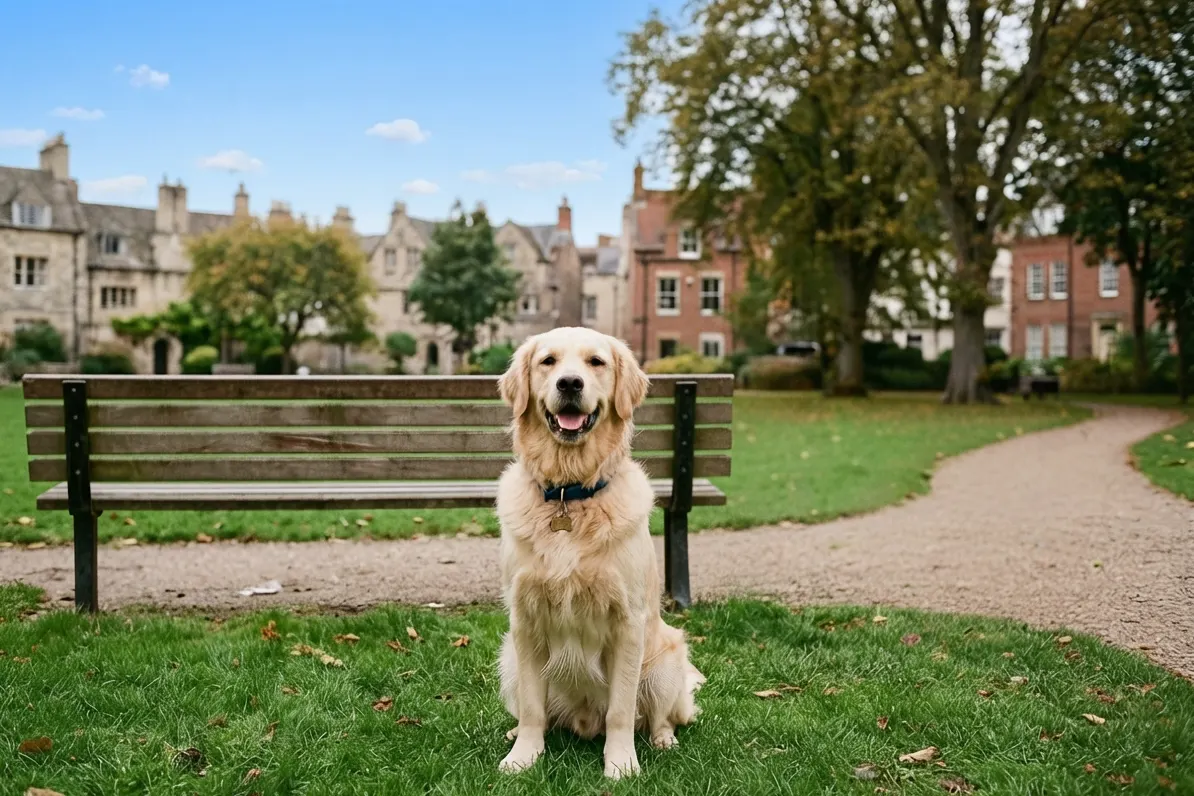
Exact instruction sent
Replace the sky in this photo with a clear blue sky with a few soft clouds, and adjust the light on the scene so it matches the new sky. Change nothing else. Keep every person exactly who they are: same face, identity, age, body and expression, and do not place anyone in a new situation. Keep everything else in the photo as it is unless this instruction changes it. Add no text, borders or watermarks.
Sticker
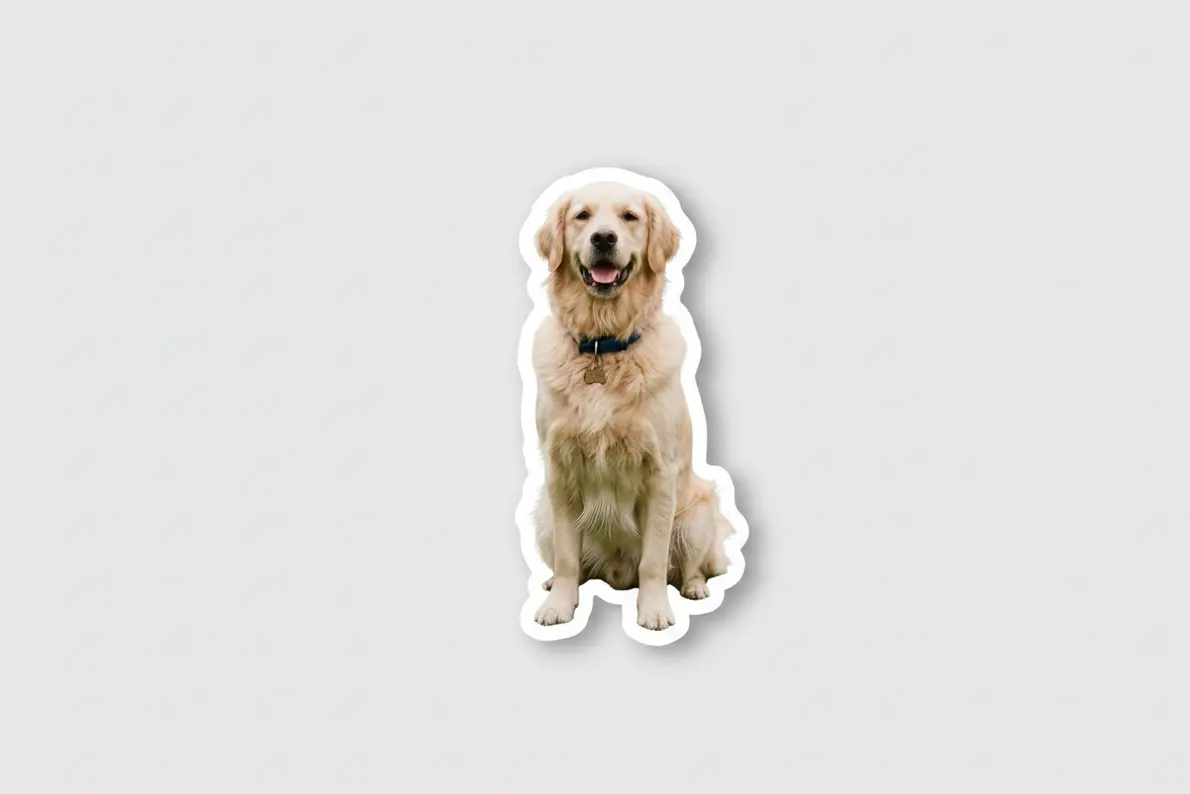
Exact instruction sent
Turn the main subject of this photo into a die-cut sticker: the subject cut out with a thick clean white border and a soft drop shadow, on a plain light background. Keep the subject's shape, colours and details as they are. Keep every person exactly who they are: same face, identity, age, body and expression, and do not place anyone in a new situation. Keep everything else in the photo as it is unless this instruction changes it. Add no text, borders or watermarks.
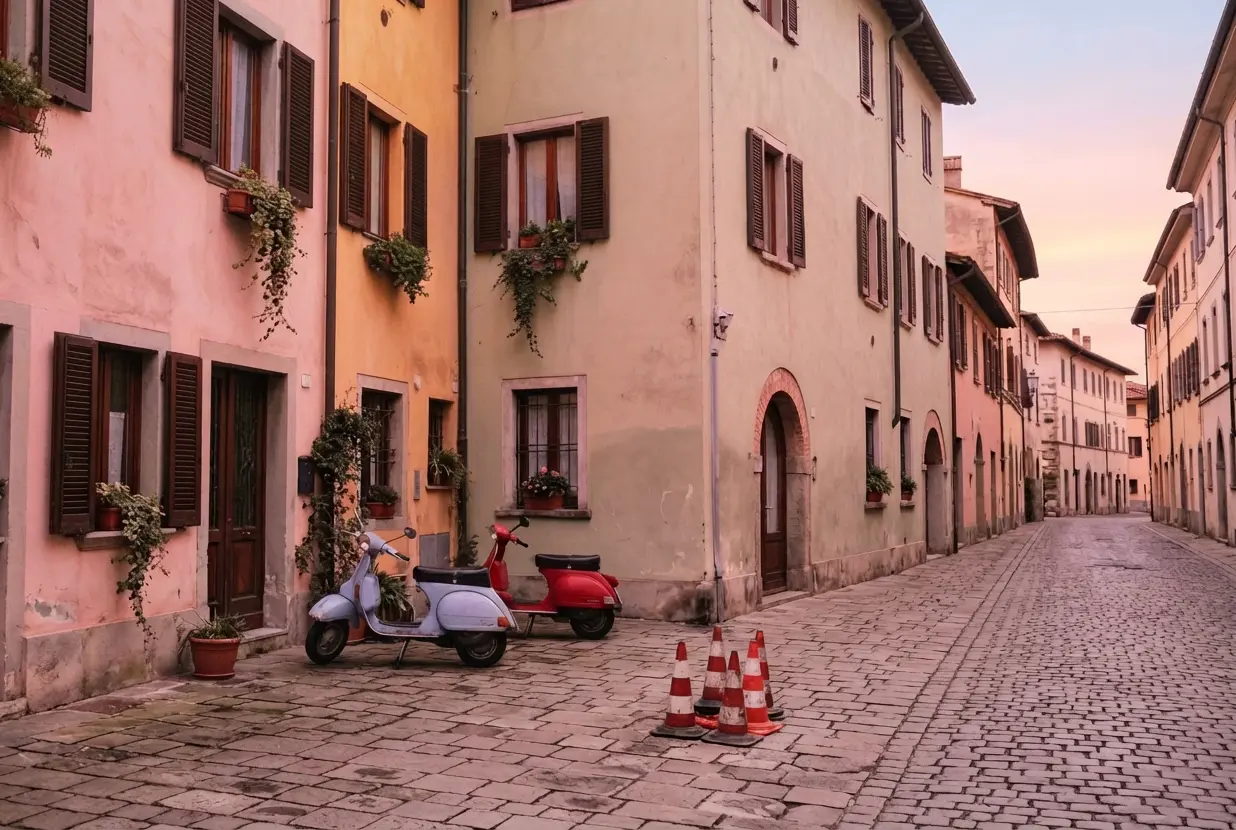
New sky: a soft pink sunset sky
Exact instruction sent
Replace the sky in this photo with a soft pink sunset sky, and adjust the light on the scene so it matches the new sky. Change nothing else. Keep every person exactly who they are: same face, identity, age, body and expression, and do not place anyone in a new situation. Keep everything else in the photo as it is unless this instruction changes it. Add no text, borders or watermarks.
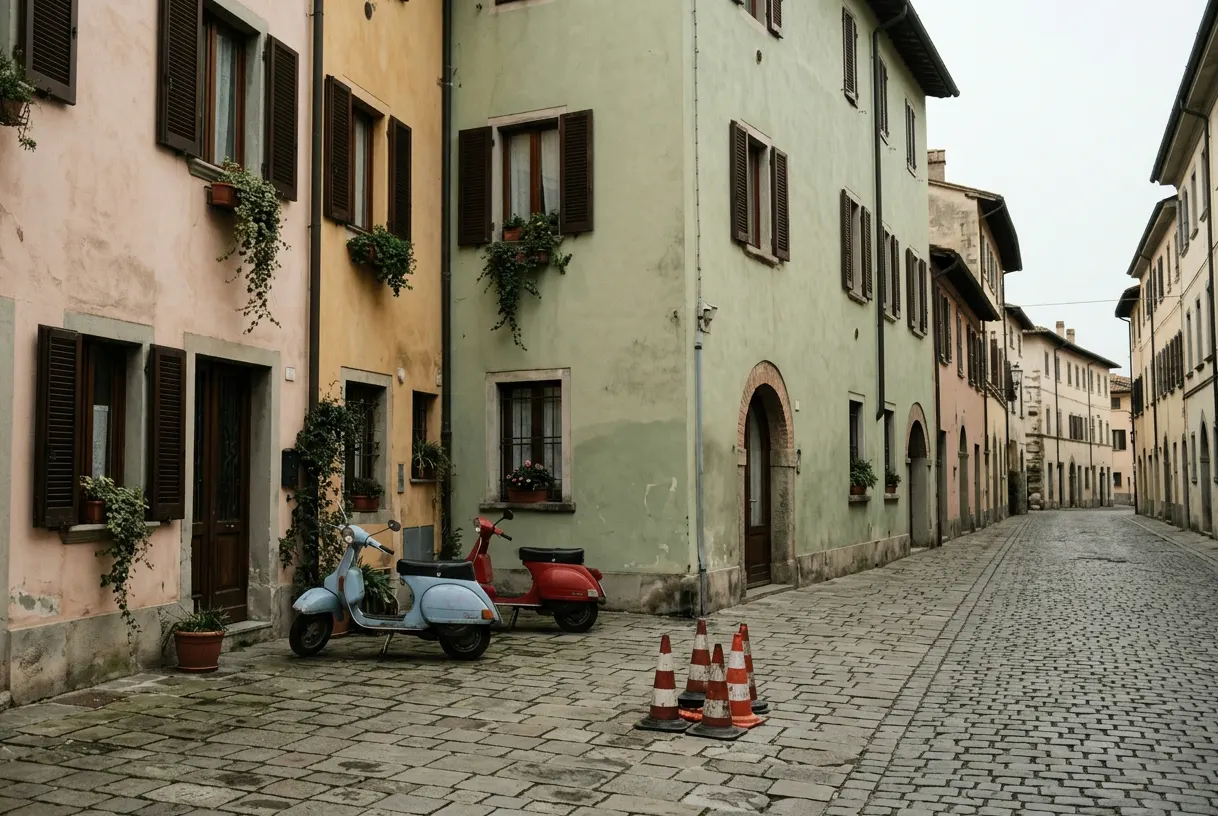
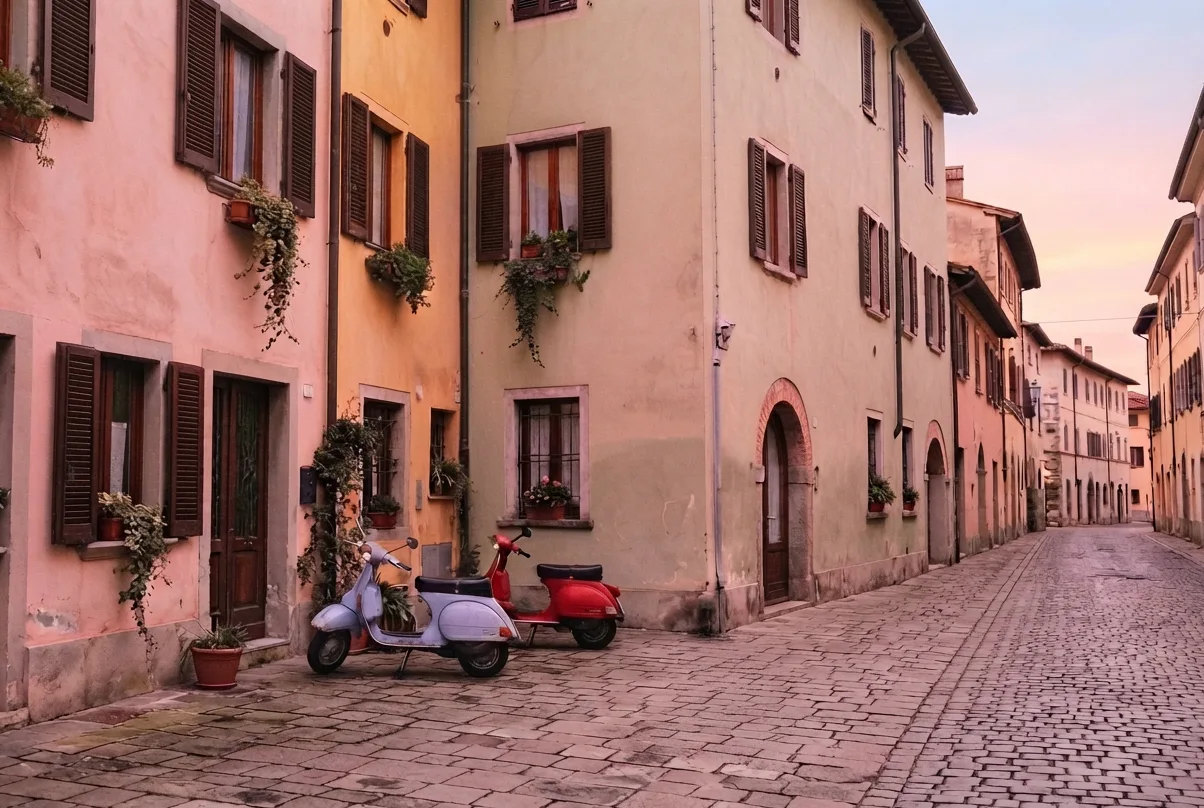
Remove the traffic cones on the pavement
Exact instruction sent
Remove the traffic cones on the pavement from this photo and fill the area with what would naturally be behind it, matching the surrounding texture, light and perspective. Leave no trace or blur. Keep every person exactly who they are: same face, identity, age, body and expression, and do not place anyone in a new situation. Keep everything else in the photo as it is unless this instruction changes it. Add no text, borders or watermarks.
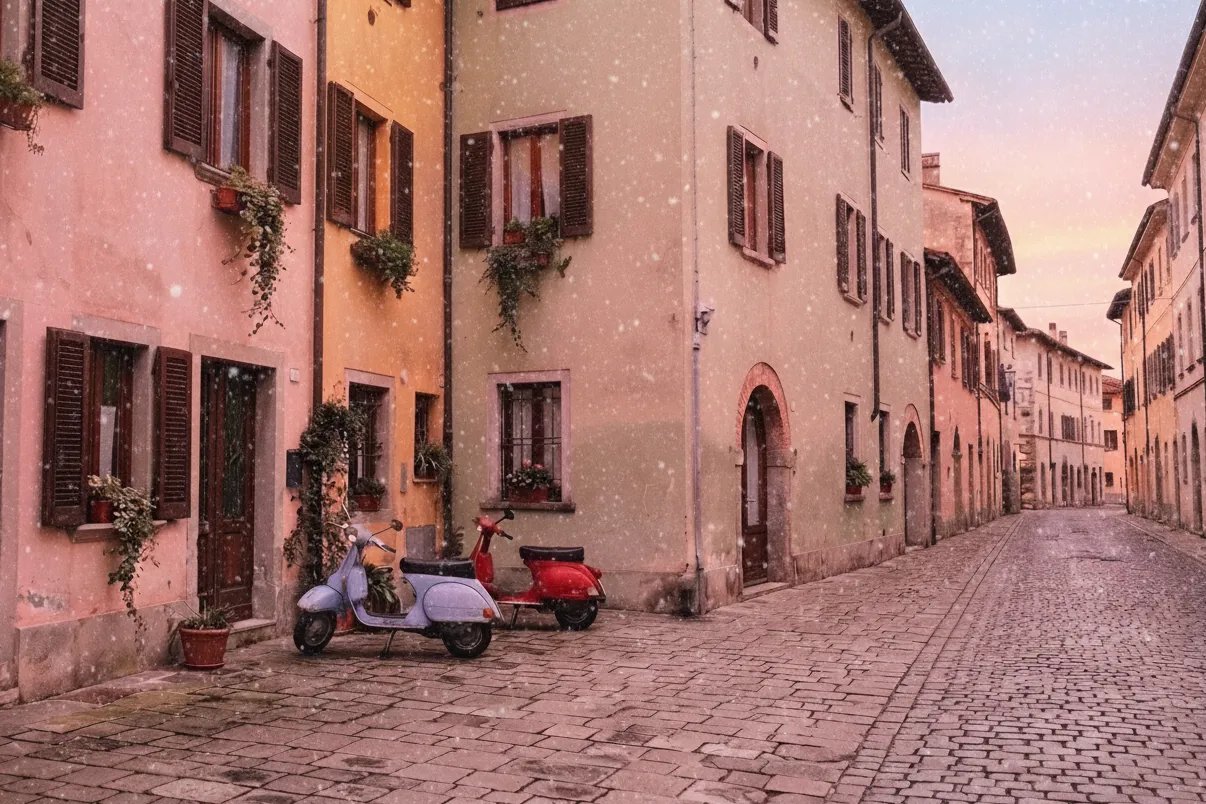
add light snow falling, keep everything else the same
Exact instruction sent
Edit this photo: add light snow falling, keep everything else the same. Keep every person exactly who they are: same face, identity, age, body and expression, and do not place anyone in a new situation. Keep everything else in the photo as it is unless this instruction changes it. Add no text, borders or watermarks.
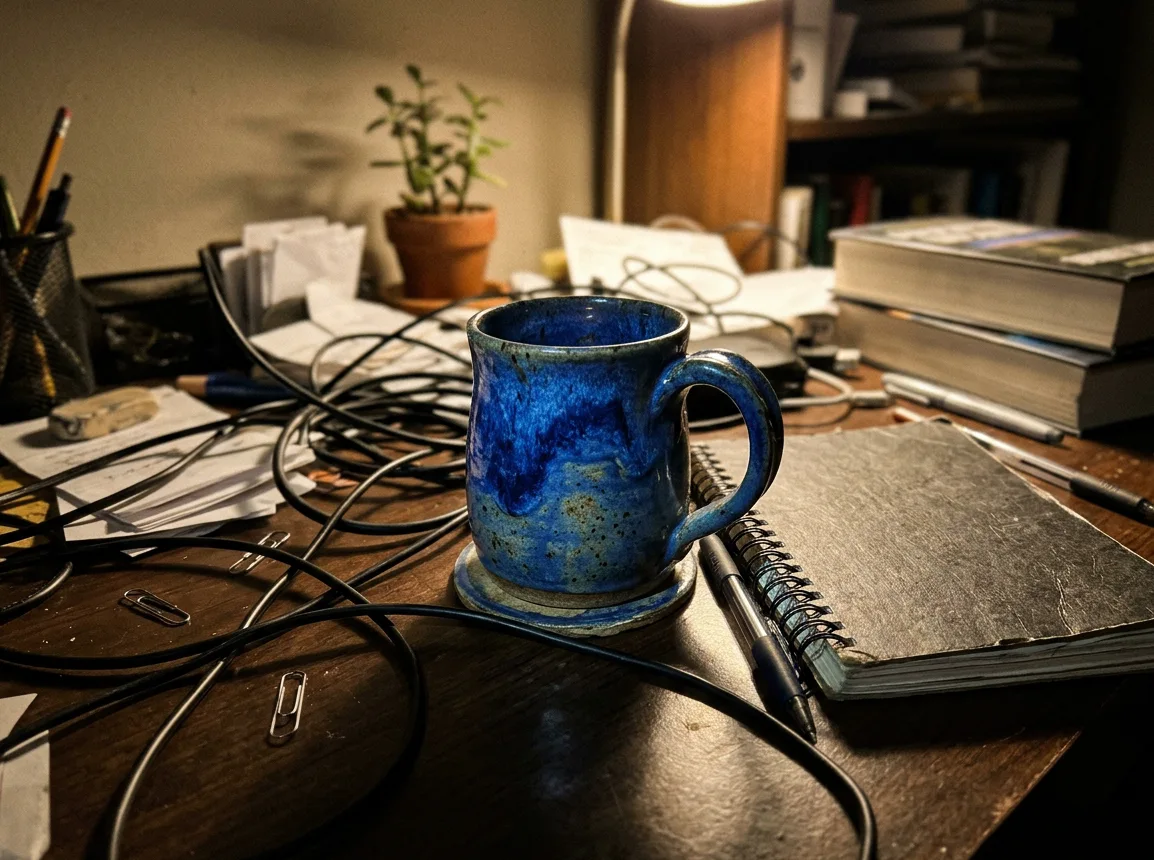
Remove the tangled black cables
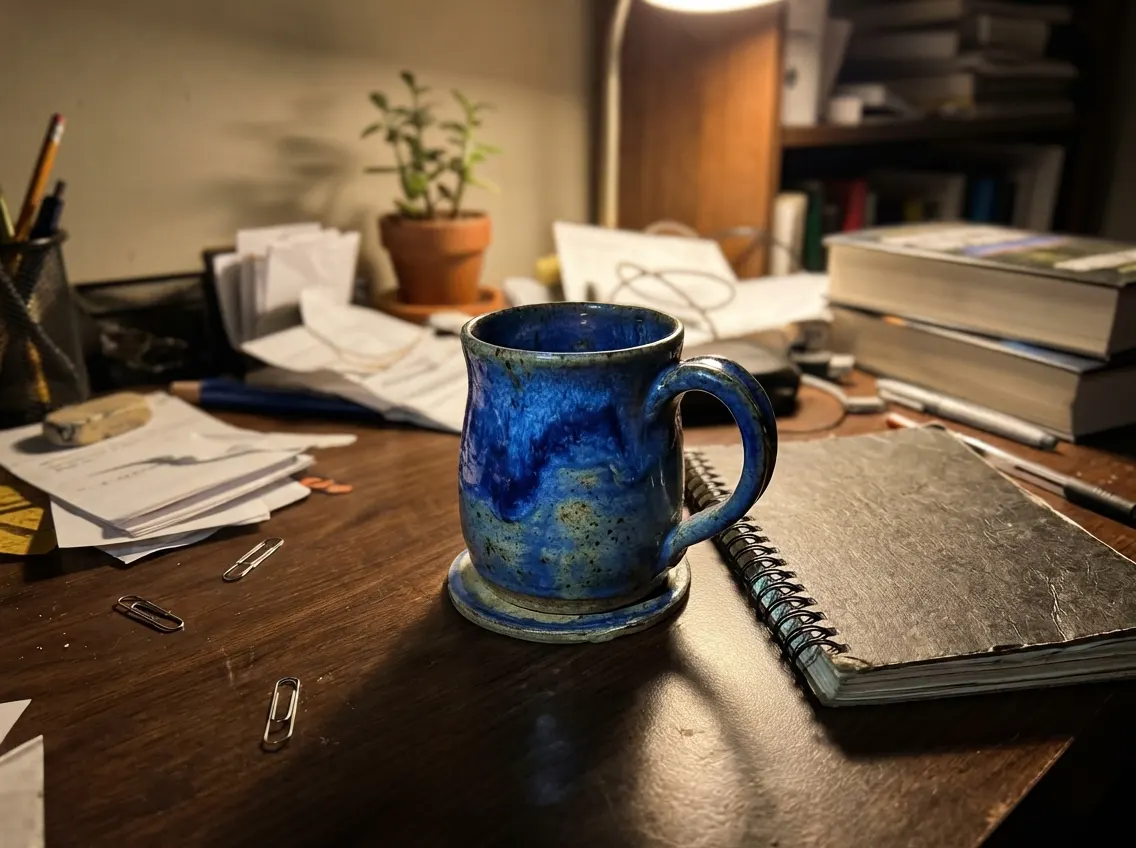
Exact instruction sent
Remove the tangled black cables from this photo and fill the area with what would naturally be behind it, matching the surrounding texture, light and perspective. Leave no trace or blur. Keep every person exactly who they are: same face, identity, age, body and expression, and do not place anyone in a new situation. Keep everything else in the photo as it is unless this instruction changes it. Add no text, borders or watermarks.
New background: a warm wooden table by a sunny window
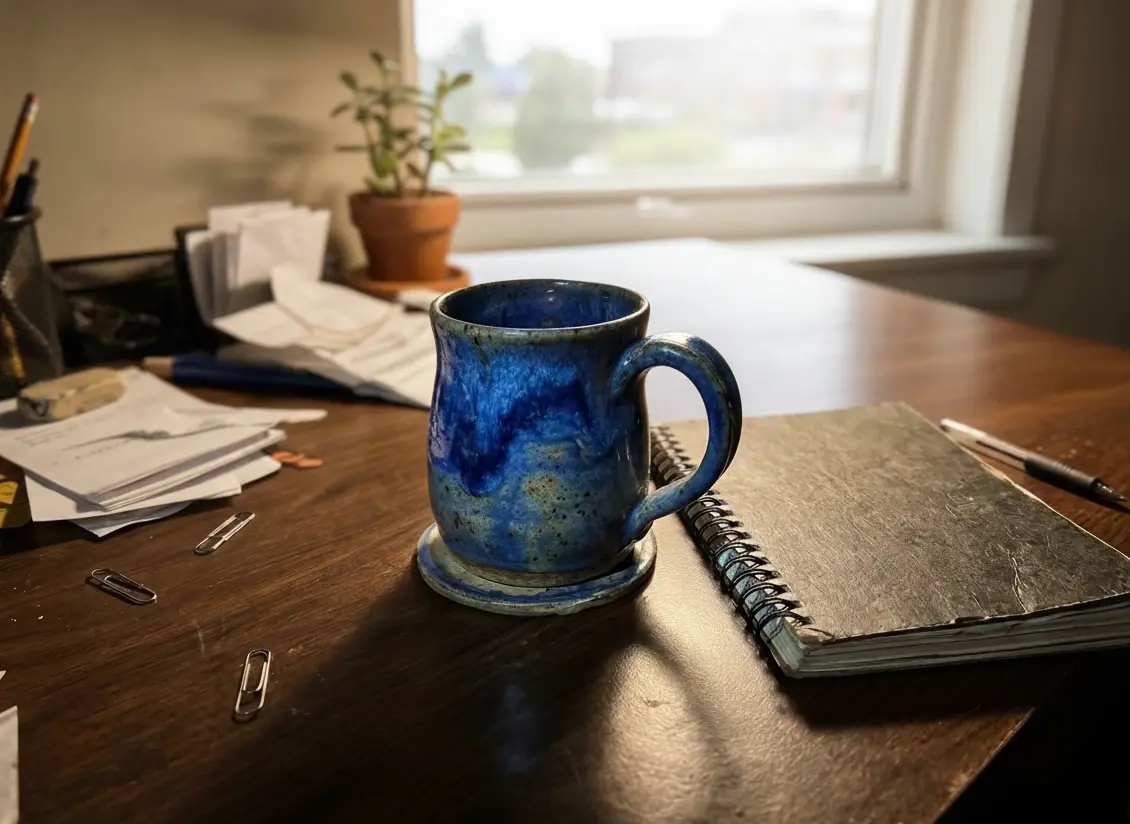
Exact instruction sent
Replace the background of this photo with a warm wooden table by a sunny window. Keep the main subject exactly as it is, with clean natural edges, and match the new background's light, colour and perspective to the subject. Keep every person exactly who they are: same face, identity, age, body and expression, and do not place anyone in a new situation. Keep everything else in the photo as it is unless this instruction changes it. Add no text, borders or watermarks.
Golden hour
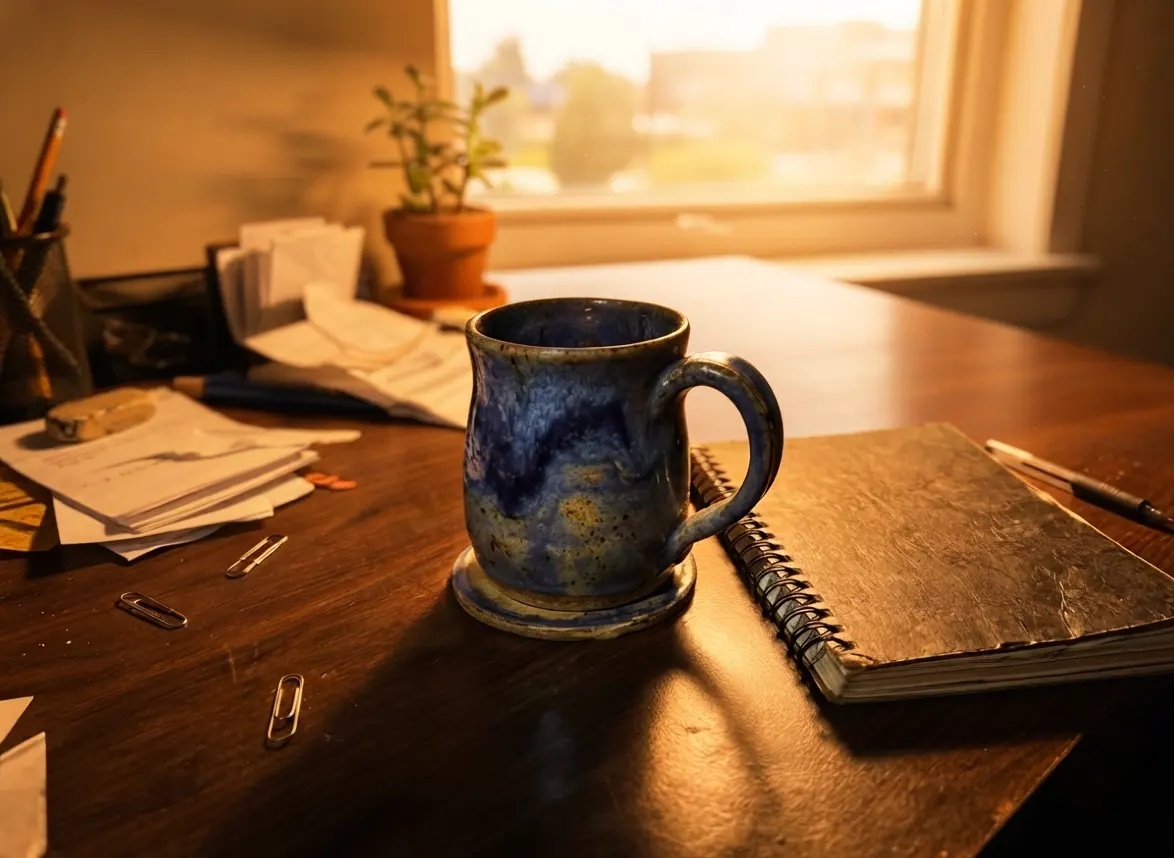
Exact instruction sent
Relight this photo as if it were taken at golden hour: warm, low sunlight from the side with long soft shadows and a gentle glow. Change only the light, shadows and colour temperature. Keep every person exactly who they are: same face, identity, age, body and expression, and do not place anyone in a new situation. Keep everything else in the photo as it is unless this instruction changes it. Add no text, borders or watermarks.
How it works
How to edit a photo by chat
Three steps, then keep going as long as you like.
- 01
Send a photo
JPG, PNG, WebP or HEIC, from your camera roll or the camera. It is stored privately in your account.
- 02
Text the change
Write it like a message ("make the sky pink") or tap a quick reply. The send button shows the credits first.
- 03
Keep the thread going
Reply again to build on the result, reply to an older bubble to branch, undo for free, then download or share.
Models
Flash or Lite for each turn, Sharper for the keeper
Pick the model chip at the top of the thread. It stays as you set it; we never switch it for you.
| Model | Used for | 1K | 2K |
|---|---|---|---|
| Nano Banana (Gemini 2.5 Flash Image) | "Flash" turns: strong at keeping the rest of the photo as it was | 24 | — |
| Nano Banana 2 Lite | "Lite" turns: a newer, light model; try it when Flash misses | 24 | — |
| Nano Banana 2.1 | Sharper: re-renders a turn you keep at 2K | — | 35 |
Credits per image. A turn that fails is refunded. Nano Banana and Gemini are Google trademarks; BananaFlash.net is an independent site, not made by or affiliated with Google.
Pricing
A week, a month or a pack
Start with 24 free credits: one chat edit. Undo and branches never cost credits.
Start with 24 free credits. One chat edit costs 24 credits.
Flash Week
A week of edits for a trip or an event
$3.89/week
Renews weekly, cancel anytime. Credits last 8 days.
- 849 credits a week
- About 35 chat edits
- Every edit is a chat turn on your photo
- Undo and branch from any bubble for free
- Sharper 2K on the turn you keep
- No watermark, share straight from your phone
Plans open soon.
Snap Club
Edits for every post and chat, all month
$7.79/month
Billed monthly, cancel anytime
or $77.89 billed yearly
- 1,979 credits a month
- About 82 chat edits
- Every edit is a chat turn on your photo
- Undo and branch from any bubble for free
- Sharper 2K on the turn you keep
- No watermark, share straight from your phone
Plans open soon.
Story Stack
A big batch of edits that never expires
$31.79once
One payment, no subscription
- 6,349 credits that never expire
- About 264 chat edits
- Every edit is a chat turn on your photo
- Undo and branch from any bubble for free
- Sharper 2K on the turn you keep
- No watermark, share straight from your phone
Plans open soon.
Free: 24 credits once, added when you confirm your email, no card needed. That is one chat edit. They never expire.
Refunds within 3 days (weekly), 7 days (monthly), 21 days (yearly) or 14 days (pack) if no more than 10% of the credits were used.
Questions about the chat photo editor
What is BananaFlash.net?
A chat photo editor in the browser. You send a photo, type what should change ("make it sunset", "remove the bin on the left") and the edited photo comes back as a reply bubble. Your next message edits that result, so you can work step by step.
Is it free?
New accounts get 24 credits once, added when the email address is confirmed: enough for one chat edit (24 credits). Each mailbox gets the grant once, and sign-ups from VPN, proxy or hosting networks do not get it. After that you need a pass, a plan or a pack. There are no daily top-ups.
Which AI models does it use?
Chat turns run on Nano Banana (Gemini 2.5 Flash Image), the "Flash" chip, or Nano Banana 2 Lite, the "Lite" chip. Sharper re-renders a kept turn at 2K with Nano Banana 2.1. You choose the chip; the model is never switched for you.
How do branches and undo work?
Tap Reply under any earlier bubble and your next message edits that photo instead of the latest one, which starts a branch. Arrows on a message flip between its branches. Undo steps back one bubble and "Back to original" returns to your upload. None of these cost credits.
Why do results soften after many turns?
Each turn re-draws the photo from the one before it, so after many rounds faces and fine detail can drift. After a long chain the thread suggests going back to the original or branching from an earlier bubble, and Sharper re-renders the turn you keep at 2K.
What photos can I send?
JPG, PNG, WebP or HEIC up to 10 MB. Send only photos you own or have permission to edit, and photos of people only when they agreed. Photos of children and of public figures are refused.
Will it change who someone is?
No. People stay who they are: no face swaps, no changing someone's body or age, no undressing, and no putting a real person into a new situation. Every message is screened before the edit runs, and refusals cost nothing.
Who can see my photos?
Only you. There is no public gallery. The photo goes only to the AI service that runs the edit. Your thread is kept in this browser for 7 days; your results stay in My edits.
Can I use the edits commercially?
Yes, on any plan, as long as you hold the rights to the photo you sent and the use follows the Terms and the Acceptable Use Policy. Results have no watermark.
Is this a Google product?
No. BananaFlash.net is an independent site that runs Google's image models through an API. Nano Banana and Gemini are trademarks of Google LLC.
Updated
Got a photo that needs one small change?
Send it, say the change, and keep going until it is right.